 Home
 Back
 Forward
 Print
Rent Receipting
This guide will assist you with receipting rents received at the bank or in your office.
Step 1. Property Management 
Step 2. Tenant Receipt (F5) 
The following screen will appear
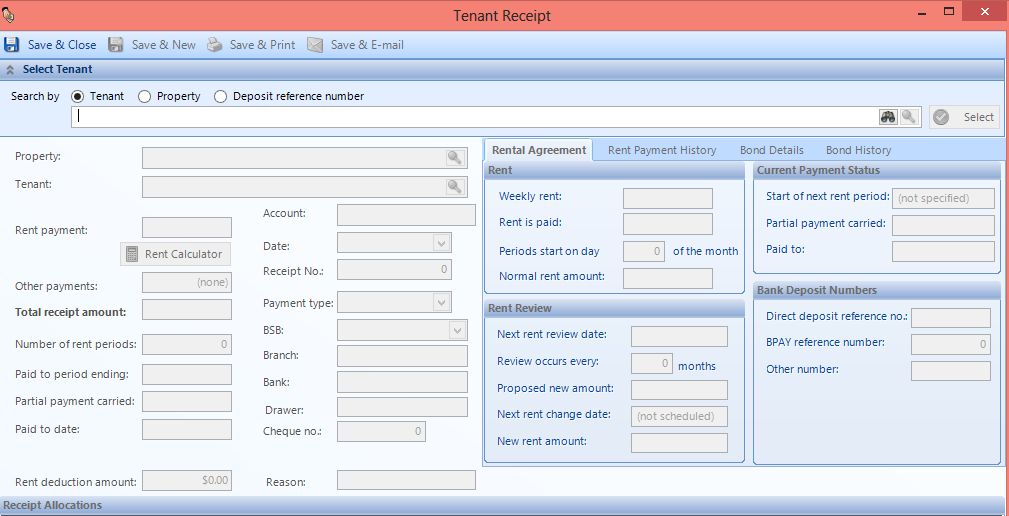
Step 3. Find the tenant you are receipting for by searching via ‘Tenant’ ‘Property’ or ‘Direct reference number’
Step 4. Click on select (this will bring up the relevant details relating to the tenancy and will look like the screen below)
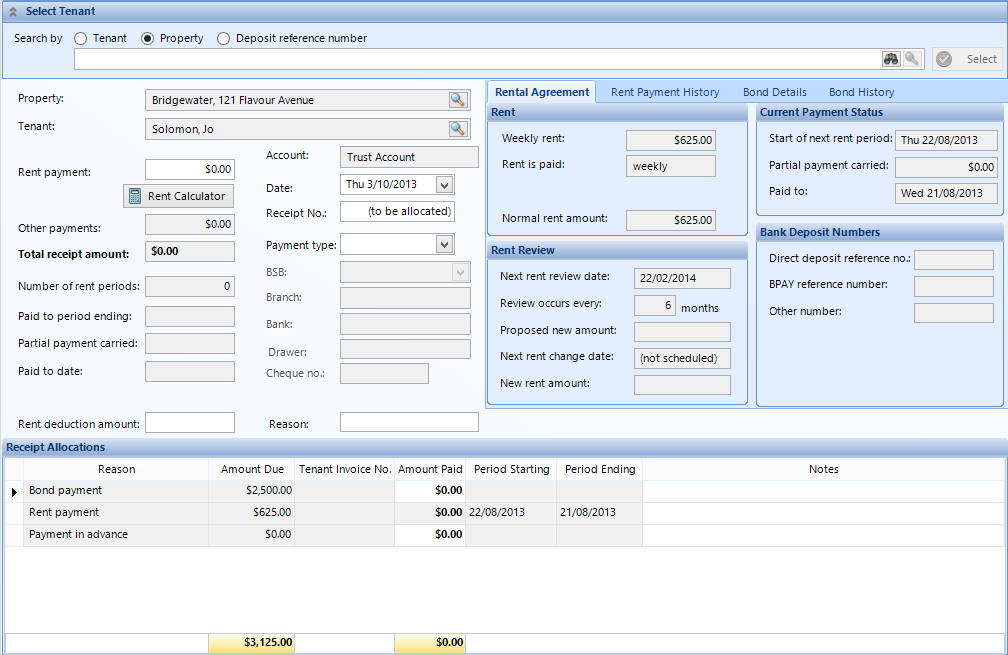
Step 5. Type in your “rent payment” amount
Step 6. Change your date (if required)
Step 7. Select your payment method i.e. EFT Direct Deposit, Cash, Cheque
Tip. If you have any tenant raised invoices, payment in advance or bond this all can be receipted from this screen in the grid below labelled receipt allocations.

You can also view the tenant rental payment history from the rent receipt screen should you require to check your last receipts.
Step 8. Save & Close will save the receipt to the tenant’s “rent payment history”.