 Home
 Back
 Forward
 Print
Change Ownership
Change Ownership
Step 1. Select 
Step 2. Select  under “Properties”.
Step 3. Search for the agreement with the original owner and open it.
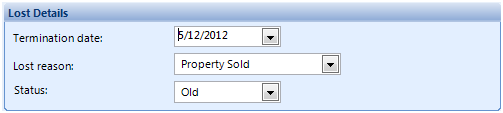
Step 4. Enter a termination date (settlement date), lost reason, and change the status to old. Save & Close.
Step 5. Go to
Step 6. Open the property file
Step 7. Delete the Old owner name by highlighting and pressing the Delete key on your keyboard
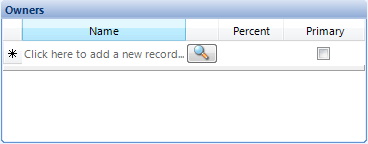
Step 8. Click in the Click here to add new record field
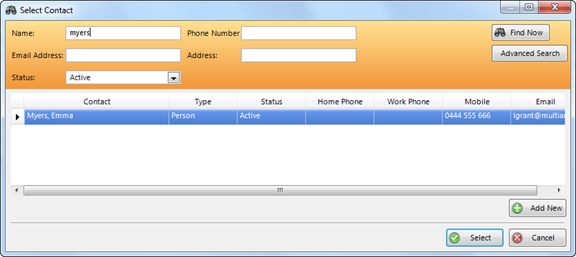
Step 9. Select the New owner Contact file
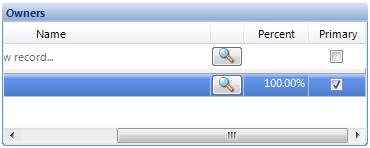
Step 10. Check the Primary Owner tickbox
Step 11. Save and Close
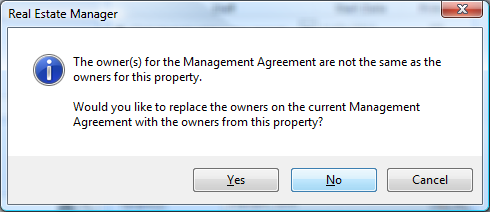
Step 12. The following prompt will appear – Select No.
Step 13. Select 
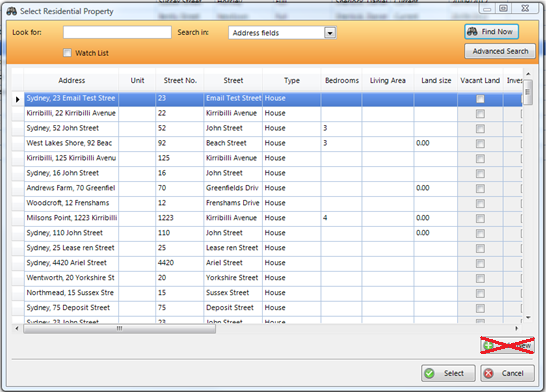
Step 14. Click 
Step 15. Search for the property by using the search fields at the top of the window. Make sure you do not add a new property as it has already been entered in the system for the old agreement.
Step 16. Enter the details for the new agreement. Save & Close.
Step 17. Find the old management agreement and open it. In the search fields you will need to change the status to “Old” in order to pick up an old agreement.
Step 18. Click the “Tenancies” tab and then the “Rent” sub-tab. Is the tenant’s Paid To Date after the Settlement Date?
Yes - Proceed to Step 19.
No – Finished.
Step 19. Click the “Agreement” tab and then the “Owner charges” tab. Has a commission invoice been raised for the rent paid past Settlement Date?
Yes - Proceed to Step 20.
No – skip to Step 23.
Step 20. Has the commission invoice been paid?
Yes – Proceed to Step 21.
No – Skip to Step 22.
Step 21. You will need to create a “Commission Refund” for commission charged for the rent amount paid past Settlement Date.
· You will first need to calculate the amount to be refunded.
Commission Refund Amount=
(Tenant Paid To Date – Settlement Date) x Daily Rent x Management Fee %
E.g. (4/1/13 -1/1/13) x $50 x 0.08 = $12
· To process the refund:
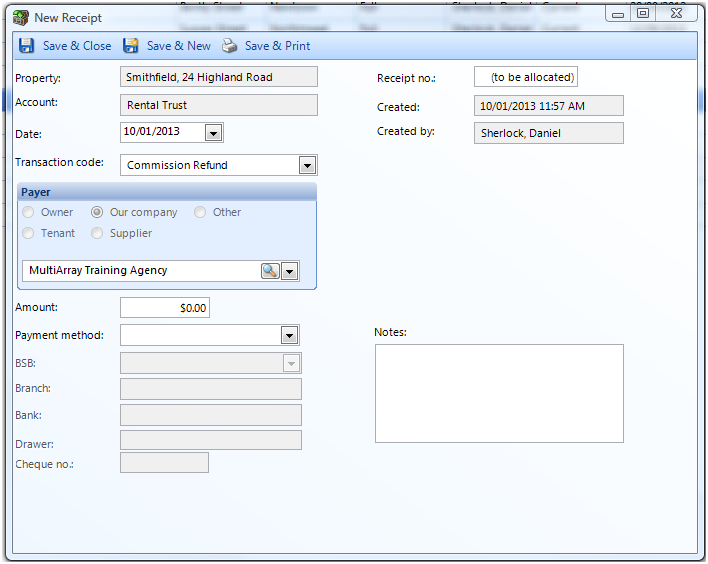
a) Go to 
b) Click
c) Search for the address of the property making sure you select the Old Agreement.
d) Choose “Commission Refund” for the transaction code.
e) Enter a date, amount, and payment method.
f) Finish with a note such as “Refund for commission charged on rent paid past Settlement Date”. Save & Close.
Once you have finished creating the refund, Skip to Step 21.
Step 22. You will need to reduce the commission invoice amount by the commission amount charged on rent paid past Settlement Date.
· You will first need to calculate how much you need to reduce the invoice by.
Commission on rent paid past Settlement Date=
(Tenant Paid To Date – Settlement Date) x Daily Rent x Management Fee %
E.g. (4/1/13 -1/1/13) x $50 x 0.08 = $12
· To reduce the invoice amount:
a) Go to the Old Management Agreement.
b) Click the “Owner Charges” tab.
c) Find the unpaid invoice and open it.
d) Reduce the invoice amount by the amount charged for rent paid past Settlement Date.
Proceed to Step 23.
Step 23. Create Journal Transfers from Old Agreement to New Agreement for Rent paid after Settlement Date.
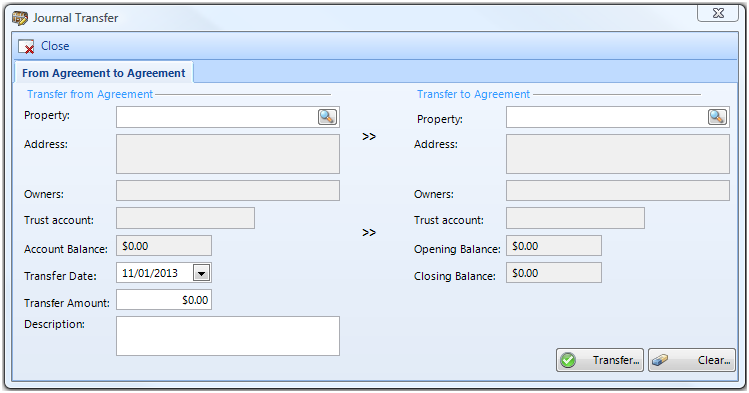
· To do a Journal Transfer from Agreement to Agreement.
a) Go to 
b) Select
c) Select 
d) Search for the Old Agreement in “Transfer from” and the New Agreement in “Transfer to”.
e) Enter in the amount of rent paid after Settlement Date with a description and click Transfer.
Proceed to Step 23.
Step 24. Manually create a new commission invoice for rent paid past Settlement Date for the New Agreement.
· To raise a new Owner Charge:
a) Go to 
b) Click 
c) Click 
d) Search for the New Agreement.
e) Choose “Management Fee” for the transaction code.
f) Enter in the date and the same Commission amount which was refunded/reduced to the Old management agreement.
g) Save & Close.